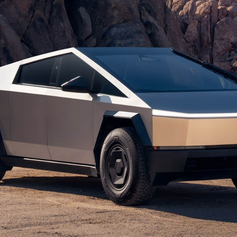

















Cybertruck Smart BSD Blind Spot LED Ambient Lighting Kit
Couldn't load pickup availability
Smart BSD RGB Ambient Lighting Kit for Tesla Cybertruck
Turn the Cybertruck dashboard light strip into an intelligent visual information layer with blind-spot alerts, turn-signal cues, vehicle-status reminders, driving-reactive effects and ambient colors synchronized with the Tesla center display.

Tiered Blind-Spot Alerts
Uses vehicle blind-spot status to provide large left- or right-side dashboard light cues, including a stronger visual warning when a turn signal is used while the corresponding blind spot is occupied.
Tesla Screen Integration
Ambient color, brightness and activation can synchronize with supported Cybertruck factory lighting controls through the center touchscreen.
Driving-Reactive Light Effects
The system can display visual effects associated with accelerator input, AP/Autopilot status, door status, battery heating and selected vehicle-state data.
More Than a Decorative RGB Light Strip
When the vehicle reports another vehicle in a side/rear blind-spot area, the corresponding dashboard side uses a steady amber/yellow visual reminder.
If the corresponding turn signal is activated while the vehicle reports an occupied blind spot, the affected side changes to a stronger red flashing alert.
Normal turn-signal activation can also be represented by a corresponding side-light cue, making the dashboard lighting responsive to vehicle direction inputs.
Current manufacturer materials show a slowly scrolling rainbow pattern across both dashboard sides when the supported AP/Autopilot driving state is active.
Two manufacturer-listed sport effects use accelerator depth to change the illuminated area or transition the lighting from white toward red.
It Does Not Add a New Blind-Spot Radar
The lighting system uses compatible vehicle-provided blind-spot and driving-status data to create additional visual cues. It is not described as containing a separate external radar or camera and should not be treated as an independent object-detection system.
Dashboard Lighting That Responds to Vehicle Data

Current manufacturer imagery lists a red driver-side warning when vehicle speed exceeds the road-speed-limit data used by the system by approximately 20%.
A red dashboard indication is displayed when a supported front-door-open condition is detected.
Manufacturer imagery shows a red dot-matrix-style driver display when the vehicle reports an active battery-heating state.
Current product imagery advertises OTA update support for compatible controller/software features.


BSD, overspeed, door and driving-status light cues are supplemental visual reminders. Always use the Cybertruck's factory displays, mirrors/cameras and normal driving checks as the primary source of vehicle and traffic information.
Cybertruck-Specific Factory Harness Integration
This product is engineered around the Cybertruck dashboard, interior trim and vehicle-data interface. It is not a universal Tesla ambient-lighting kit.
Carefully access the required dashboard trim and factory connection points following the vehicle-specific installation guide.
Install the left and right lighting sections along the intended dashboard trim line and route wiring away from moving controls or sharp trim edges.
Connect the supplied vehicle-specific interface to the compatible original harness connections without cutting or splicing factory wiring.
Before reinstalling all trim, verify basic ambient-light control and supported turn-signal, door and vehicle-status cues.
Confirm that supported ambient color and brightness adjustments respond correctly through the Cybertruck center-screen interface before final reassembly.

Current manufacturer and TESKAY documentation describe the installation as non-destructive and plug-and-play using compatible original harness interfaces.
The non-destructive installation is designed to avoid cutting factory wiring or permanently modifying the vehicle. However, final warranty coverage always depends on the specific vehicle, installation and applicable Tesla warranty policy.
Specifications
| Attribute | Details |
|---|---|
| Product | Smart BSD Blind Spot LED Ambient Lighting Kit |
| Vehicle Compatibility | Tesla Cybertruck Only |
| Model 3 / Y / S / X | Not Compatible |
| Installation Position | Cybertruck Dashboard Ambient-Light Area |
| Blind-Spot Data Source | Compatible Vehicle Safety / Driving Data |
| Independent Radar Sensor | Not Included / Not Published as Part of This System |
| Weak BSD Alert | Corresponding Side Steady Amber / Yellow Reminder |
| Strong BSD Alert | Corresponding Side Red Flash When Turning Toward an Occupied Blind Spot |
| Turn-Signal Cue | Supported |
| Door-Open Alert | Supported |
| Battery Heating Indicator | Supported |
| Overspeed Reminder | Manufacturer-Listed Red Visual Cue at Approx. 20% Above Available Road Speed-Limit Data |
| AP / Autopilot Visual Effect | Scrolling Rainbow-Style Light Effect |
| Throttle-Linked Sport Mode 1 | Red Illuminated Zone Expands / Extends with Accelerator Depth |
| Throttle-Linked Sport Mode 2 | Color Progressively Transitions from White Toward Red |
| Welcome Lighting | Door-Open Welcome Behavior Shown in Current Product Materials |
| Ambient Color Control | Tesla Central Touchscreen / Factory Ambient-Light Sync |
| Brightness Control | Supported Through Compatible Factory Screen Integration |
| Automatic Brightness Behavior | Manufacturer Imagery Indicates Vehicle-Data-Based Adjustment |
| OTA Update Support | Manufacturer-Advertised |
| Installation | Vehicle-Specific Non-Destructive Plug-and-Play |
| Factory Wire Cutting / Splicing | Not Required |
| Drilling | Not Specified as Required |
| Published Power Rating | Not Published |
| Published LED Count | Not Published |
| Published Dimensions | Not Published |
| Published IP Rating | Not Published |
| Package Contents | Cybertruck-Specific Ambient Lighting System + Matching Vehicle Harness / Control Components; Complete Itemized Packing List Not Published |
Quick Answers
Which vehicles does this kit fit? +
This current product is designed exclusively for Tesla Cybertruck. Model 3, Model Y, Model S and Model X use different interior layouts and vehicle-data interfaces.
Does this kit add its own blind-spot radar? +
No independent radar or camera is listed. The system uses compatible blind-spot and driving-status information provided by the vehicle to create additional dashboard visual cues.
How does the weak blind-spot alert work? +
Current manufacturer imagery shows the corresponding dashboard side illuminated steadily in amber/yellow when a vehicle is reported in the side/rear blind-spot area.
What happens if I signal toward an occupied blind spot? +
The corresponding side changes to a stronger red flashing warning according to the current manufacturer functional diagram.
Does it show the turn signals too? +
Yes. Current product materials show corresponding-side visual turn-signal cues as part of the vehicle-data-linked functions.
What is the overspeed warning? +
Manufacturer imagery states that a red driver-side visual reminder is triggered when vehicle speed exceeds the available road-speed-limit data by approximately 20%. Actual operation depends on compatible vehicle data.
Does it have a door-open reminder? +
Yes. Current manufacturer materials show a red visual cue for a supported front-door-open condition.
Can it indicate battery heating? +
Yes. The current functional diagram shows a red dot-matrix visual in front of the driver when compatible battery-heating status data is active.
What happens in AP / Autopilot mode? +
Current manufacturer materials describe a slowly scrolling rainbow pattern illuminating both dashboard sides when the supported AP/Autopilot driving state is detected.
How do the accelerator-linked effects work? +
Sport Mode 1 expands the red illuminated zone as accelerator depth increases. Sport Mode 2 progressively changes the lighting from white toward red as pedal depth increases.
Can I control the ambient color from the Cybertruck screen? +
Yes. The current manufacturer FAQ states that compatible color, brightness and activation controls integrate with the Tesla central touchscreen.
Does it support OTA updates? +
Current product imagery advertises OTA update support. The exact update process, schedule and future feature list are not fully published.
Does installation require cutting factory wires? +
No. Current product documentation describes a non-destructive plug-and-play connection using the compatible factory wiring harness.
Does the accessory guarantee my Tesla warranty remains unaffected? +
The product is designed for non-destructive installation without cutting factory wiring. However, no aftermarket accessory seller can guarantee every warranty decision; actual coverage depends on the vehicle, installation, affected component and applicable Tesla warranty terms.
Are wattage, dimensions and LED count published? +
No verified power rating, overall dimensions, LED count or IP rating are currently published, so this description does not invent those specifications.

Customization Unleashed
All products on Evmize.com have been road and fitment tested. Sourcing from the most popular manufactures & selecting only the best products to bring to market.


